HTML not loading CSS has four causes, and the network panel tells you which one in about ten seconds. Open developer tools, reload, and look at the request for the stylesheet.
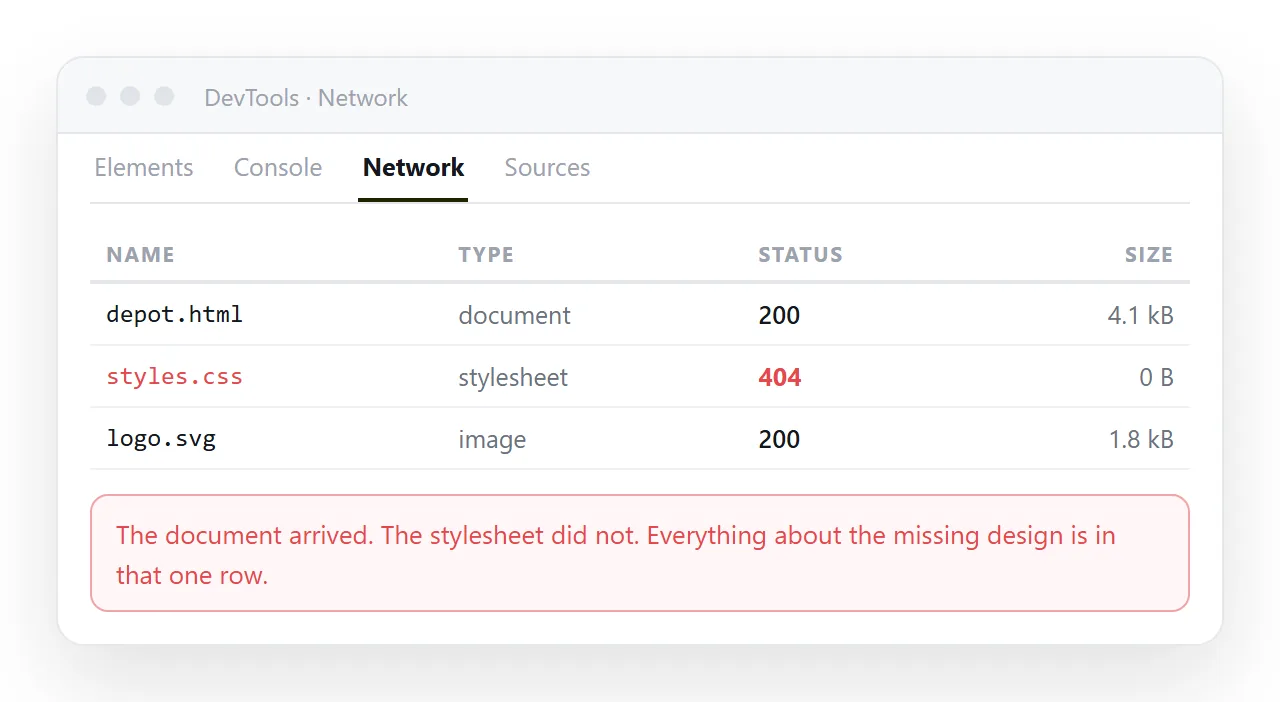
The three outcomes map directly onto three different fixes, so identify the outcome before changing anything.
HTML not loading CSS: read the request first
| What the network panel shows | Meaning | Fix |
|---|---|---|
404 on the stylesheet |
The path does not resolve from the page | Correct the relative path |
| No request for it at all | The <link> tag is malformed |
Check rel and href |
200, styles still absent |
Cached old copy, or selectors not matching | Hard reload, then inspect the element |
| Request blocked | Mixed content or a content policy | Match the scheme, or adjust the policy |
Request to a file:// path, blocked |
Page opened from disk | Inline the CSS, or serve the page |
Cause one: the path does not resolve
A relative path is read from the location of the HTML file, not from your project root and not from where you are looking in the editor.
<!-- page at /docs/report.html, stylesheet at /assets/site.css -->
<link rel="stylesheet" href="../assets/site.css">
Two mistakes recur. A leading slash, which means the server root rather than a sibling folder. And case, because most servers are case sensitive while your laptop is not, so Site.css works locally and 404s in production.
Relative versus absolute paths covers the rules in full.
Cause two: the link tag itself
If no request appears at all, the browser never understood the tag.
<!-- correct -->
<link rel="stylesheet" href="site.css">

<!-- these do nothing -->
<link rel="style" href="site.css">
<link href="site.css">
<style src="site.css"></style>
rel="stylesheet" is what triggers the load. A missing rel, a misspelled one, or a <style> tag with a src attribute all produce silence rather than an error.
Also check the tag sits inside <head> and is not accidentally inside a comment left over from debugging.
Cause three: it loaded and still did nothing
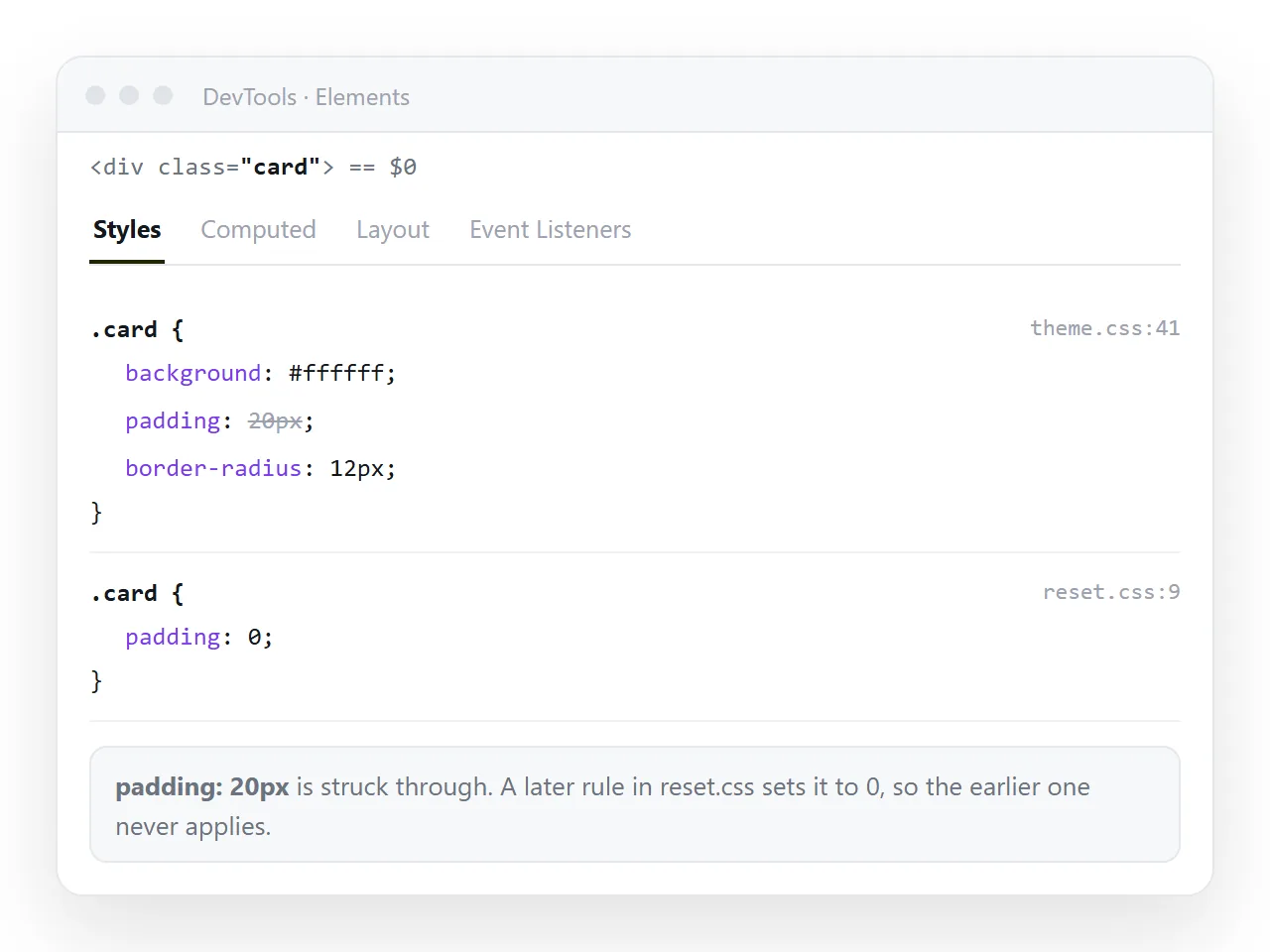
A 200 with no visible change means the CSS arrived and is not applying.
Cache. Reload bypassing cache, or add a version to the address. Cache busting explains the query string approach.
Specificity. Inspect the element and look at the computed styles. A struck through rule is being overridden by something more specific.
Quirks mode. A missing doctype changes how the box model is calculated, so widths and padding behave differently from what the rules describe. See box sizing.
Cause four: the stylesheet never travelled
This is the version that appears only for other people. The page works on your machine because site.css is sitting next to it.
Email the HTML alone and the recipient gets an unstyled document. Upload it to a viewer and the same thing happens.
Two fixes, depending on what you need.
- Inline the CSS. Move the rules into a
<style>block in the page. See inline CSS and self-contained HTML. - Serve both files together. Keep the external stylesheet and put the whole folder at an address.
For anything you intend to send, the first is the safer choice.
Cause five: the page was opened from disk
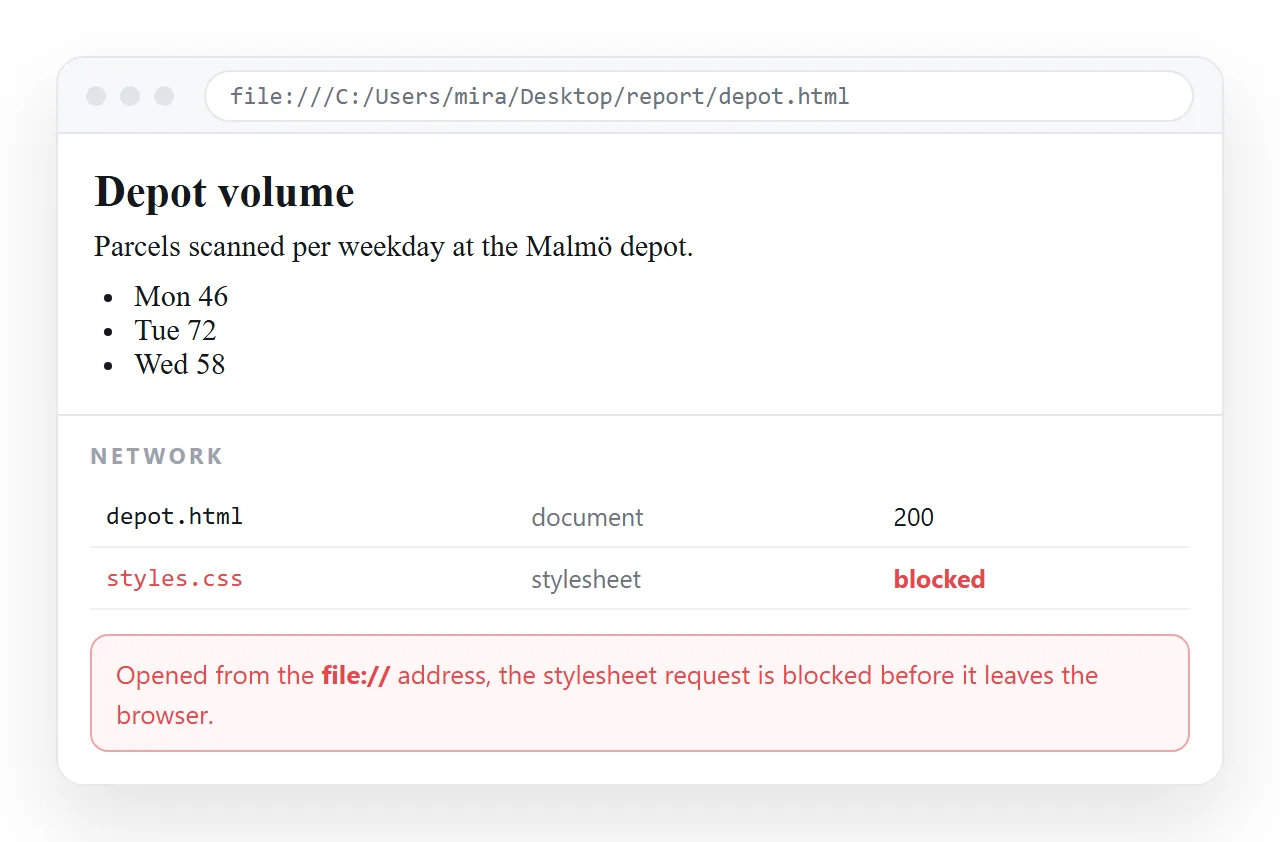
A page opened by double clicking runs under the file protocol, which restricts what it may read. Stylesheets beside the file usually load, but anything fetched by script or reached across folders may not.
Test in a neutral environment to separate this from a real path error. Drop the file into the HTML file opener and see whether the styling survives there.
Your browser has the stylesheet cached and your folder has it on disk, so your machine is the worst place to verify.
Paste the finished HTML into a document that renders it, create a share link, and open that in a private window. What you see there is what the recipient sees.
If images are also missing, that is a separate chain of causes covered in HTML not loading images. If the layout is merely wrong rather than unstyled, start at pages not displaying properly in Chrome.
After it loads: precedence and final checks
Once the stylesheet loads, the remaining class of failure is precedence, and it looks exactly like the file being ignored.
Later rules beat earlier ones at equal specificity, an id beats a class, and a style attribute beats both. A rule marked important beats everything except another important rule later in the cascade.
Inspect the element and read the struck through declarations. The browser is showing you which rule won and where it came from.
If you include a framework and then your own overrides, the order in the head decides the result. A framework loaded second overwrites the work you did first.
Put your own stylesheet last, or scope your overrides more tightly rather than reaching for an important flag. Then check the page in a private window, which carries no cache from your session.
If you include a framework and then your own overrides, the order in the head decides the result. A framework loaded second overwrites the work you did first.
Put your own stylesheet last, or scope your overrides more tightly rather than reaching for an important flag.
- Open the page in a private window, which has no cache from your session.
- Open it on a phone, where a missing media query shows up immediately.
- Open the console and confirm there are no blocked resource warnings.
- If the page will be sent to anyone, confirm the CSS is inside the file rather than beside it.