To use an SVG as a favicon in HTML, put one <link> in the <head> with type="image/svg+xml".
<link rel="icon" href="/favicon.svg" type="image/svg+xml">
That is the working minimum. The rest of this page is the fallback, the artwork constraints, and the dark mode trick that ICO cannot do.

The full head block
<link rel="icon" href="/favicon.ico" sizes="32x32">
<link rel="icon" href="/favicon.svg" type="image/svg+xml">
<link rel="apple-touch-icon" href="/apple-touch-icon.png">
Order matters less than the attributes. A browser that understands SVG takes the SVG, one that does not takes the ICO. The Apple touch icon is a separate 180 by 180 PNG for the iOS home screen, and it has to be a raster.
| File | Covers | Notes |
|---|---|---|
favicon.svg |
Chrome, Edge, Firefox tabs | Sharp at every size, themeable |
favicon.ico |
Older browsers, some Safari versions | 32 by 32 is enough |
apple-touch-icon.png |
iOS home screen | 180 by 180 PNG, no transparency |
What the SVG file has to contain
<svg xmlns="http://www.w3.org/2000/svg" viewBox="0 0 32 32">
  <rect width="32" height="32" rx="6" fill="#0f172a"/>
  <path d="M9 22 16 8l7 14z" fill="#38bdf8"/>
</svg>
Three requirements. The xmlns attribute, which is optional for inline SVG and mandatory in a standalone file. A square viewBox, so the icon is not letterboxed. And no external references, since the file is fetched on its own.
That last point rules out external fonts, linked images, and any CSS from your page. A favicon SVG is a self-contained file by necessity.
Designing for 16 pixels
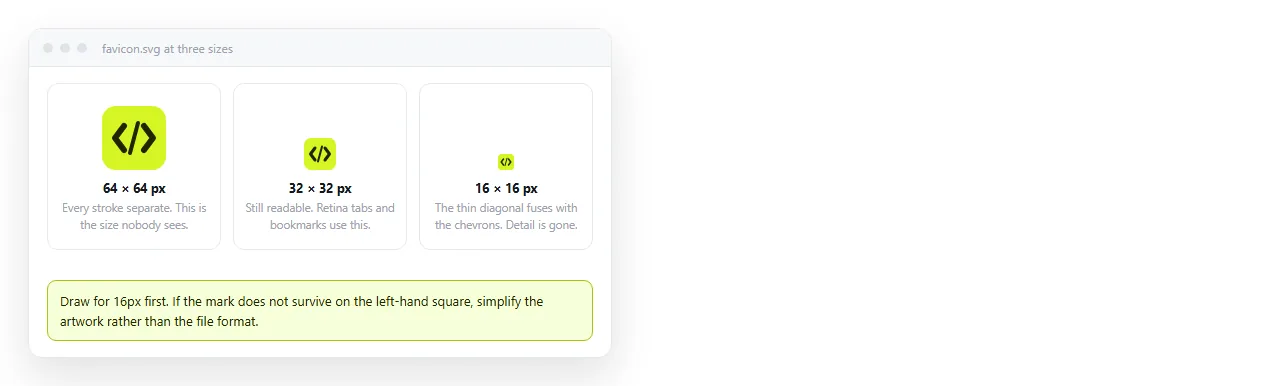
The icon will be drawn at about 16 by 16 in a tab. Detail below roughly one unit in a 32 unit viewBox disappears into a smudge.
- One shape, or two at most.
- No text under three or four characters, and no thin strokes.
- High contrast against both a light and a dark tab bar.
- Use the full viewBox. Padding you add is on top of the padding the browser already gives.
Dark mode, which is the real reason to use SVG
A CSS block inside the SVG file responds to the browser theme. Your navy logo can go pale on a dark tab bar without a second file.
<svg xmlns="http://www.w3.org/2000/svg" viewBox="0 0 32 32">
  <style>
    path { fill: #0f172a; }
    @media (prefers-color-scheme: dark) {
      path { fill: #f8fafc; }
    }
  </style>
  <path d="M9 22 16 8l7 14z"/>
</svg>
Chrome and Firefox apply this. Browsers that do not simply use the first rule. See dark mode CSS for the same query applied to the page itself.
Animation and scripts inside a favicon SVG are ignored, so there is no point attempting them.
A favicon with no separate file
For a single page document, you can put the icon in the tag itself as a data URI. Nothing to upload, nothing to break when the page moves.
<link rel="icon" href="data:image/svg+xml,
  %3Csvg xmlns='http://www.w3.org/2000/svg' viewBox='0 0 32 32'%3E
  %3Ccircle cx='16' cy='16' r='14' fill='%2338bdf8'/%3E%3C/svg%3E">
The angle brackets and the # in colours have to be percent encoded. Keep it to one or two shapes, since encoded markup gets long fast.
Use single quotes inside the SVG so they do not close the href attribute. Line breaks inside the value are tolerated by browsers, which is the only reason the example above is readable.
This is the version to use for a one page report or a specification you are sending as a link. The icon travels with the markup and there is no second file to lose.
Why it looks like nothing changed
Favicons are cached harder than almost anything else on the web. Work through this in order before editing the markup again.
- Open
/favicon.svgdirectly in a tab. If it does not render there, the file or the path is the problem, not the link tag. - Hard reload the page, then close the tab and open a new one.
- Try a private window, which has its own cache.
- Check the
typeattribute is present and spelledimage/svg+xml. - Confirm the server sends that MIME type. A plain text response is ignored.
Checking it on a real address
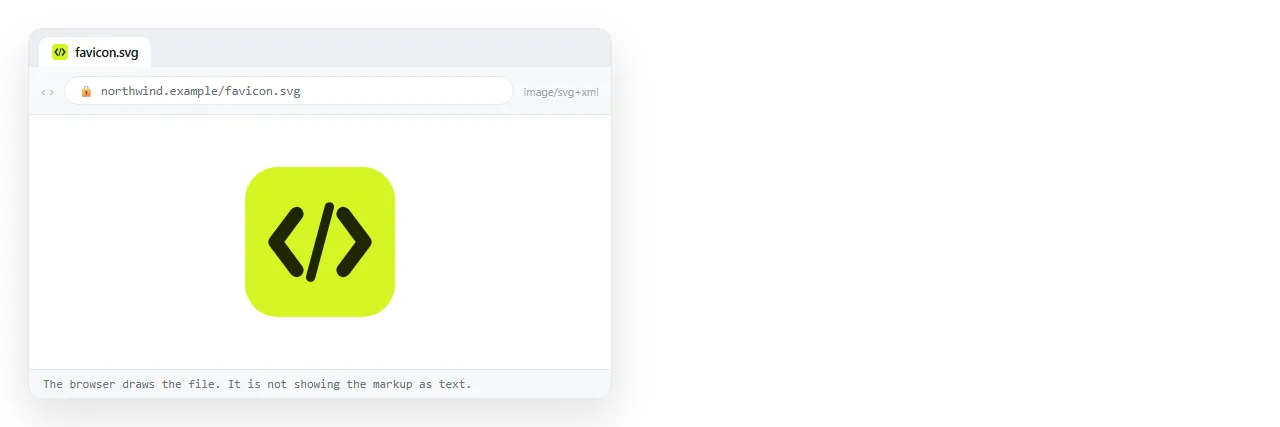
A favicon cannot be tested from a file:// path in any useful way, because the relative path and the file protocol both behave differently there.
Paste the page into a NOS document and open the share link. The document has its own address and the head renders as written.
You then see the tab icon the way a reader will, on a real domain rather than a local path. Correcting the SVG is an edit to the same page, so the address you sent does not change.
Where the favicon shows up besides the tab
Worth knowing, because each surface crops differently.
| Surface | Source | Note |
|---|---|---|
| Browser tab | rel="icon" |
About 16 by 16, the hardest case |
| Bookmark bar | Same | Often the only thing shown |
| History and address suggestions | Same | Small, beside grey text |
| iOS home screen | apple-touch-icon |
PNG, corners rounded by the system |
| Chat preview cards | Open Graph tags | A separate image, not the favicon |
That last row catches people who change the favicon and expect the Slack unfurl to update. Preview cards read og:image, which is a different tag and a different file.
Keep the SVG under a few kilobytes. It is fetched on almost every page view, and a design export with a hundred path points for a shape rendered at 16 pixels is waste with no visible benefit.