How to save Gemini chat as HTML: get the conversation text out of the browser, wrap it in a small HTML document, render it to confirm it holds together, and keep it at an address you can send.
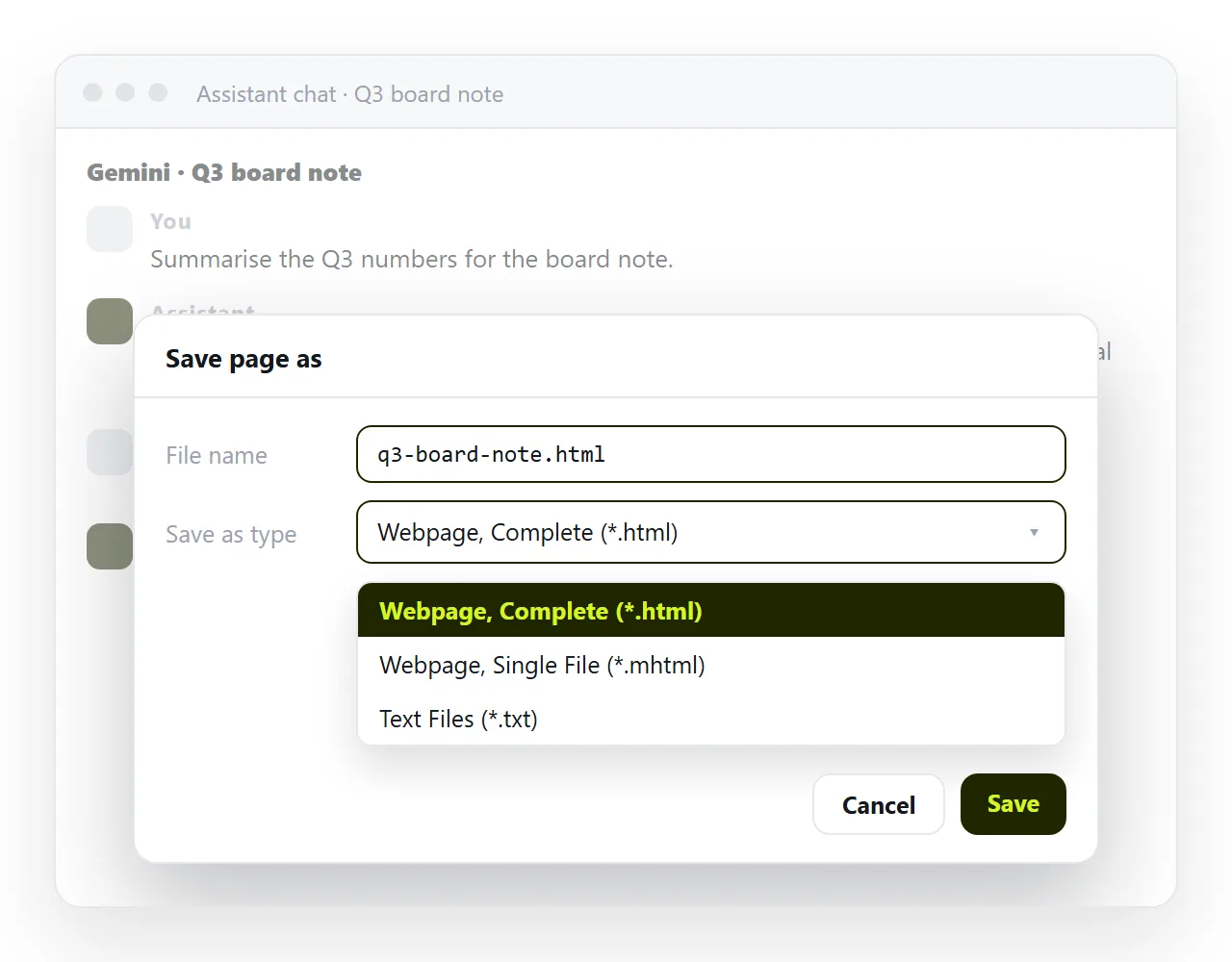
Saving as a page rather than a screenshot or a PDF is what makes the record usable later. The text stays selectable, the tables stay readable, links still work, and a phone can reflow it.
This page compares the options, then gives the five steps for the one that produces a clean page you can hand to someone.
The routes compared
| Route | What you end up with | Readable in a year |
|---|---|---|
| Browser Save page as | An HTML file plus a folder of assets it depends on | Only if the folder travels with it |
| Copy the text, wrap it yourself | One self-contained HTML file, no interface clutter | Yes |
| Paste that HTML into a document | A rendered page at its own address | Yes, and other people can open it |
| Print to PDF | A fixed layout at one page size | Yes, but nothing in it can change |
The first route is fastest. The second is the one that survives being moved. The third adds the part the first two cannot do, which is a link other people can open.
Route 1: save the page from the browser
The browser Save page as command writes what is on screen to disk. It captures the conversation, and it also captures the interface around it.
The usual catch is dependencies. A saved page typically arrives with a companion folder of stylesheets, scripts and images, and it points at that folder by relative path.
Move the file on its own and those references stop resolving, so you open it later and find unstyled text. Keep the folder beside the file, or move to the next route.
Route 2: copy the conversation and wrap it yourself
This takes a minute and produces something you will still be able to read later. Select the parts of the conversation worth keeping and paste them into a small document of your own.
<!DOCTYPE html>
<html lang="en">
<head>
<meta charset="utf-8">
<meta name="viewport" content="width=device-width,initial-scale=1">
<title>Pricing research, 16 September</title>
<style>
  body { max-width: 46rem; margin: 2rem auto; padding: 0 1rem;
         font: 16px/1.6 system-ui, sans-serif; }
  h2 { margin-top: 2.5rem; font-size: 1.05rem; }
  .q { color: #555; }
</style>
</head>
<body>
<h1>Pricing research</h1>
<h2 class="q">Question</h2>
<p>...</p>
<h2>Answer</h2>
<p>...</p>
</body>
</html>
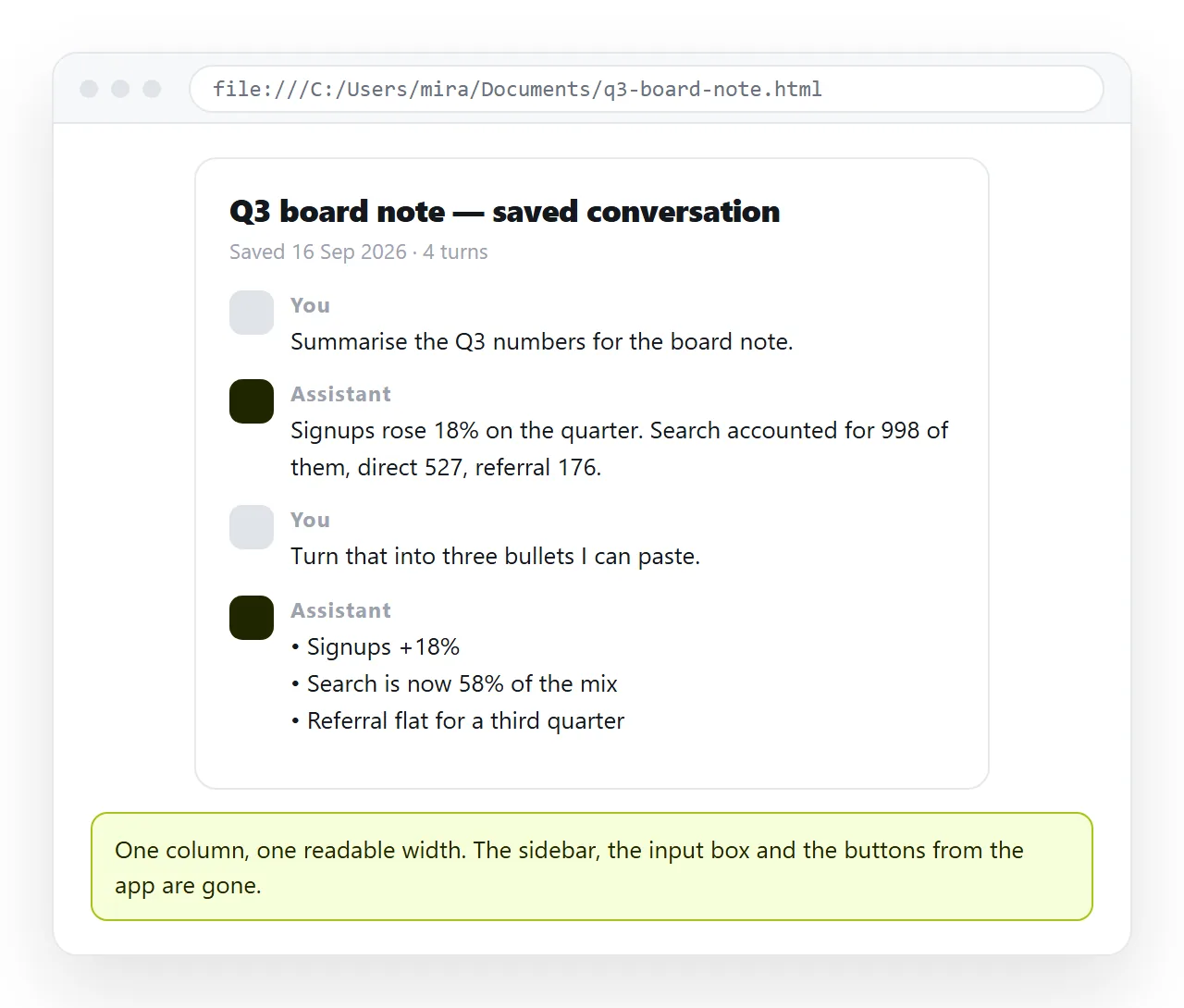
Four things in that skeleton matter. The <title> fills the browser tab and any preview card. The viewport line keeps it readable on a phone.
The styles are inline, so nothing has to travel alongside the file. And the conversation is marked up as headings and paragraphs, which is what makes it skimmable six months from now.
How to save Gemini chat as HTML in five steps
- Decide what the record is for. A reference you expect to reread wants a clean page. A copy kept for a compliance trail wants the conversation as it appeared, which points back to route one.
- Get the conversation out. Either use Save page as, or select and copy the exchanges you want to keep.
- Wrap it. Use the skeleton above. Keep the styles inline and give it a real title.
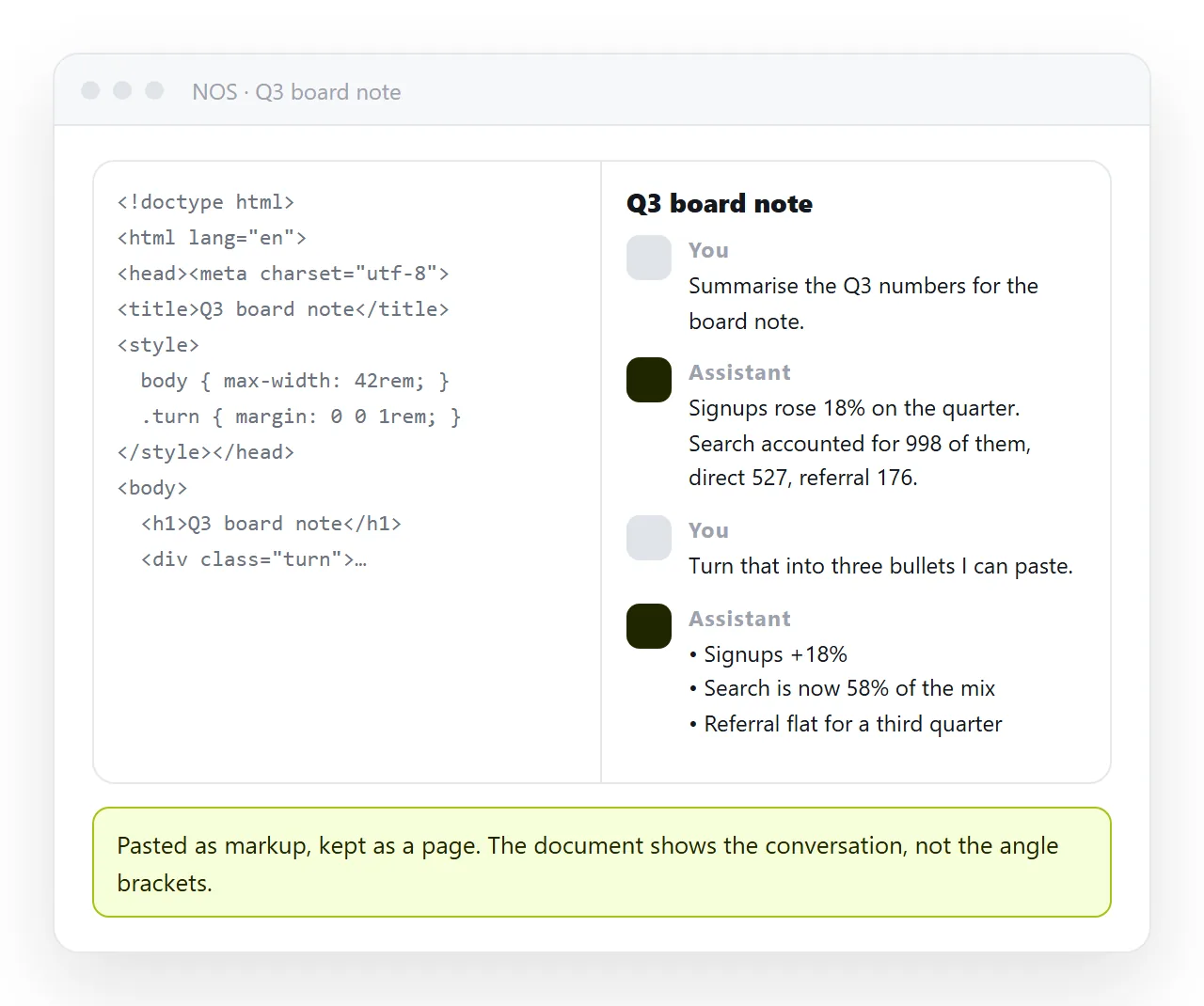
- Render it to check. Paste it into the HTML viewer, or drop the file into the HTML file opener. Both draw the page in a window that has never seen your machine, which is the same test a reader applies.
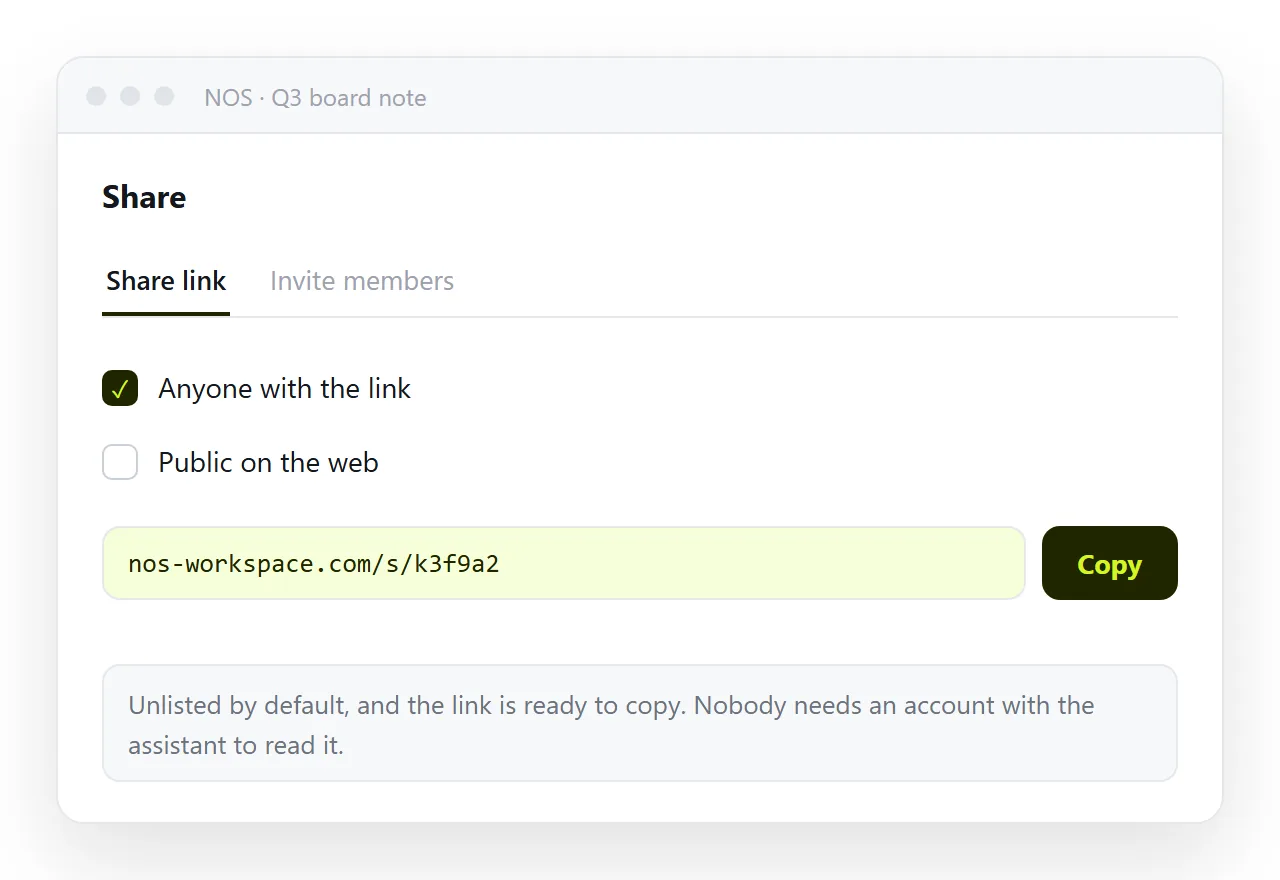
- Give it an address. Paste the HTML into a NOS document. It renders exactly as written. Then Share, Share link, Create link.
Keeping it, and sending it
A file on your machine is a record for one person. The moment a second person needs it, the file route starts costing you time.
Mail systems often remove .html attachments, desktops hand the file to whatever program claims the extension, and phones drop it into storage with nothing offering to render it. A link avoids all three.
The link is unlisted by default, which means it opens for whoever holds it and is not listed anywhere. Tick Public on the web only if the page should turn up in search results.
Editing the content does not move the address. That matters for a saved conversation, because the first thing you usually want to do is cut the false starts and keep the answer.
Before you file it away
- Does it open outside its folder? If the styling disappears, the page is reaching for neighbour files. Self-contained HTML covers folding them in.
- Does it say what it is? Put the topic and the date in the title. Untitled records are the ones nobody finds again.
- Did you keep the prompts? The question is often the more valuable half of the record.
- Is anything in it confidential? Decide between an unlisted link and named invitations before you paste.
- Is it going into a channel? Add Open Graph tags so the card carries a title.
Related reading: can Gemini open HTML files covers the other direction, where you hand a file to the chat rather than take one out of it. The free plan carries three documents, which is enough to keep one real record end to end.