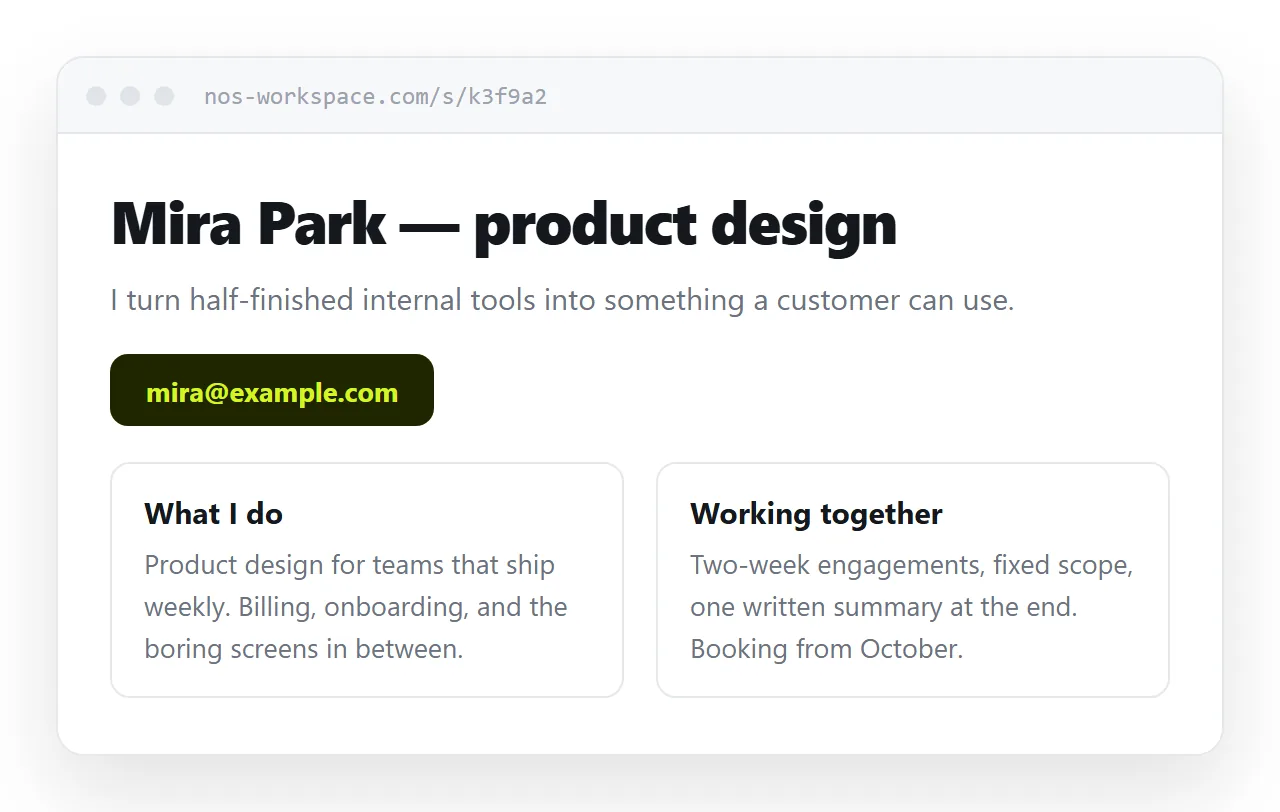
An HTML home page is a single file that states what the thing is, offers one next action, and loads correctly on a phone. Nothing about that requires a framework or a build step.
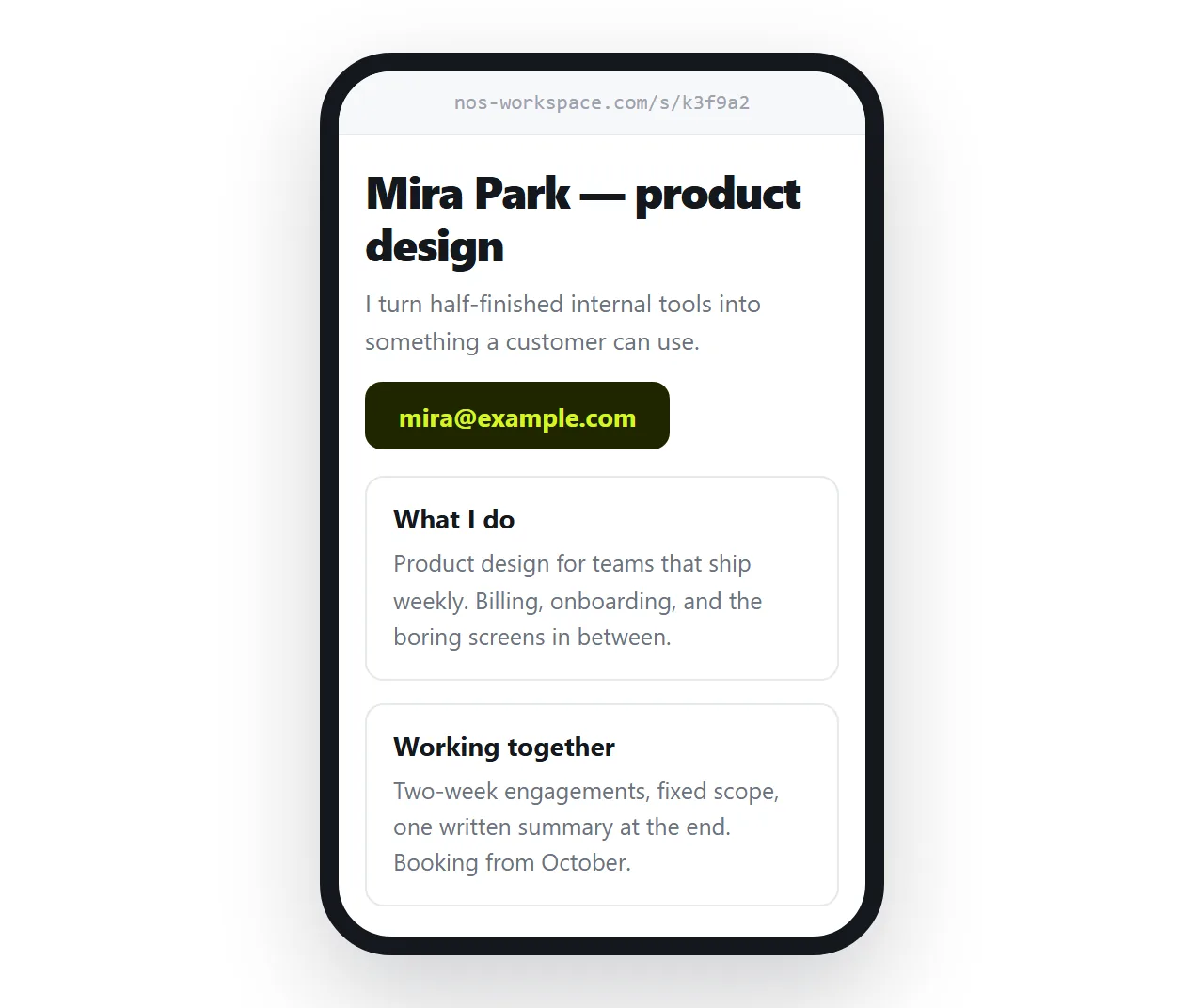
The two failures are a page that looks finished but never says what the product does, and a page that was never checked at 390px wide.
The head decides more than the body
Five lines, and they govern how the page appears in search results, in chat previews, and on phones.
<!doctype html>
<meta charset="utf-8">
<meta name="viewport" content="width=device-width,initial-scale=1">
<title>Hanul Payroll, statutory filing for small Korean firms</title>
<meta name="description" content="Payroll and statutory filing for companies with 5 to 50 staff.">
The doctype keeps the browser in standards mode. Leave it out and layout behaves unpredictably for reasons that take an hour to find.
The viewport meta tag is the one that decides whether the page is readable on a phone. Without it the browser renders at desktop width and zooms out.
The meta description is what appears under the title in search results. Write it as a sentence about the product, not a keyword list.
The hero is three elements
One heading, one sentence, one link. That is the whole thing.
<h1>Payroll and statutory filing, handled</h1>
<p>For Korean companies with 5 to 50 staff. Monthly, on time.</p>
<a class="cta" href="/learn/html-about-page">See how it works</a>
Two competing buttons halve the click rate on both. Pick the action you actually want and make the other one a plain text link.
Avoid a hero image that pushes the sentence below the fold on a phone. If the image is decorative, it can wait until the second screen.
What goes below
| Section | Purpose | Length |
|---|---|---|
| What it is | Removes the guessing | 2 short paragraphs |
| Who it is for | Lets the wrong reader leave | A list of 3 |
| How it works | Shows the shape of using it | 3 numbered steps |
| Proof | A number, a name, a result | 1 short table or 2 quotes |
| Next action | Repeats the one from the hero | 1 link |
Five sections is plenty for a home page. Anything deeper belongs on its own page, linked from here.
If you have several such pages, a simple HTML index page is the cheapest way to tie them together.
Layout without a framework
A readable page is a centred column with a maximum width and generous line height.
body { margin: 0; font: 16px/1.6 system-ui, sans-serif; }
main { max-width: 720px; margin: 0 auto; padding: 24px; }
.cols { display: grid; gap: 24px; grid-template-columns: repeat(auto-fit, minmax(260px, 1fr)); }
That auto-fit line is the whole responsive story for a feature row. Three columns on a laptop, one on a phone, and no media query at all.
Use a system font stack rather than a web font on a single page. It removes a network request and the flash of unstyled text that comes with it.
Keep it one file
A home page that reaches for a stylesheet, a font file, and an image folder is four things that can fail independently.
- CSS in a
<style>block. Inline CSS and internal styles both travel with the file. - Images as data URIs or on full
httpsaddresses, never folder paths. - An SVG logo written into the markup rather than referenced.
A self-contained HTML file opens correctly from anywhere, which matters as soon as you send it to someone for review.
Accessibility basics that cost nothing
A one-page site has no excuse for failing these, and all four take minutes.
- Contrast. Body text against its background at 4.5 to 1 or better. Grey on grey is the most common failure on a dark hero.
- Focus. Never remove the focus outline without replacing it. Tab through the page once and check you can see where you are.
- Link text. The words in the link should describe the destination. "Read more" repeated four times tells a screen reader user nothing.
- Language. Set
langon the<html>element so screen readers pronounce the page correctly.
Tab through the finished page before publishing. If you cannot reach the primary action with the keyboard, neither can a portion of your visitors.
Publish your HTML home page without a hosting setup
The gap between a finished file and a working address is usually where the project stalls.
- Open the file in the HTML file opener. If the layout survives in a window that has never seen your folder, it will survive for visitors.
- Paste the HTML into a NOS document. It renders as a page of its own, styles and scripts included.
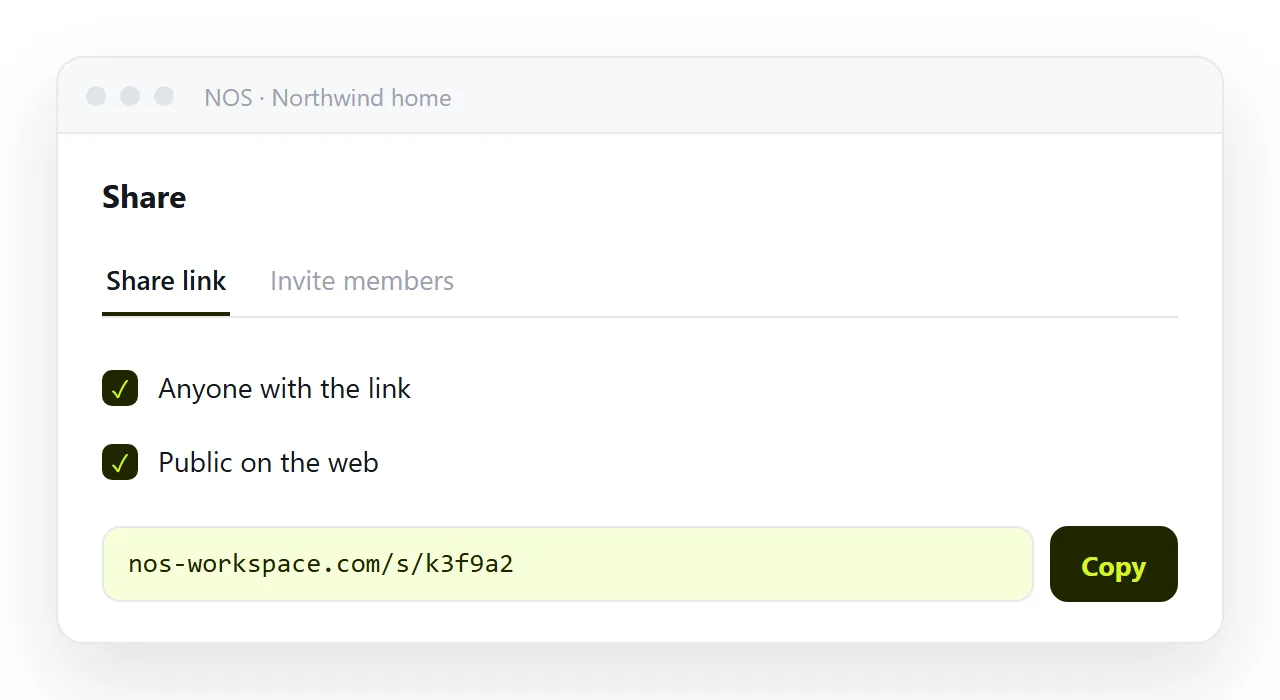
- Share, then Share link, then Create link.
- Tick Public on the web so search engines can index it. Leave it unticked while the page is still a draft.
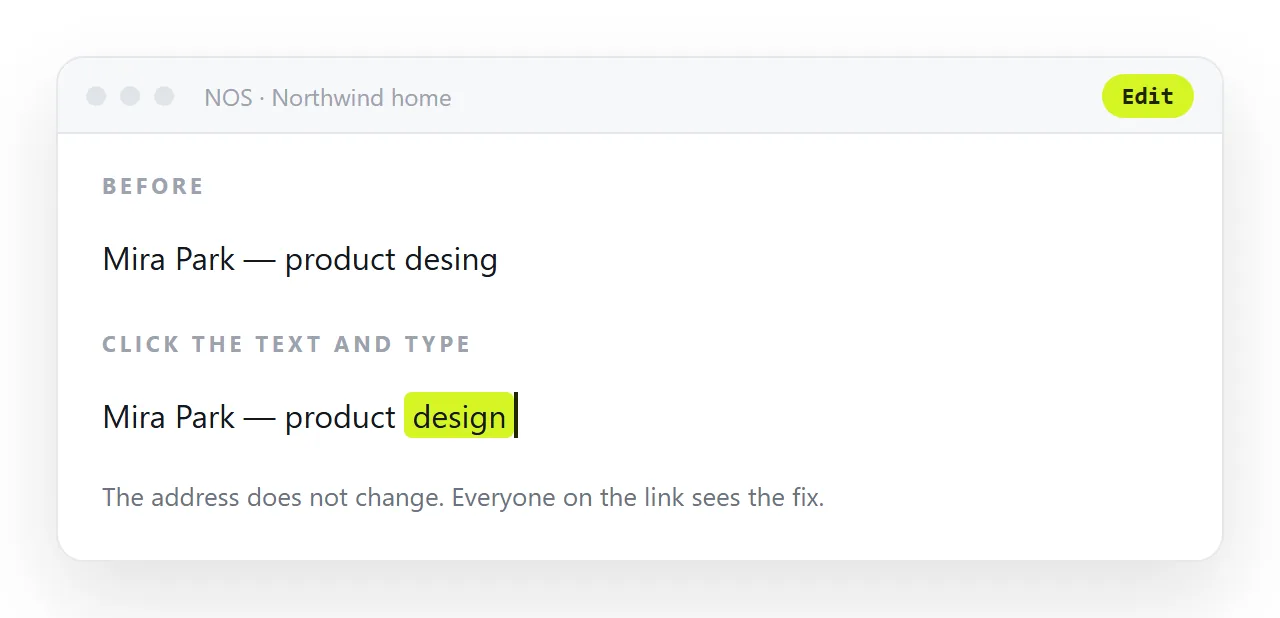
Editing later means clicking the text and retyping it. The address does not move, so links you have already sent stay correct.
Static hosts compared with documents sets out where each route fits, since a static host is the better answer once you have a repository and a build.
If the page is not ready yet
Publishing a placeholder is reasonable, publishing an empty one is not. Give it a sentence saying what is coming and one way to be notified.
The under construction HTML template guide covers what that page should contain and what to leave off it.
Before you publish
- Does a stranger learn what this is from the first two lines?
- Is there exactly one
<h1>and one primary action? - Are doctype, charset, viewport, title, and description all present?
- Does the layout hold at 390px wide?
- Do styles and images survive outside your project folder?
- Is Public on the web set the way you intend?