An HTML resume is your resume written as a web page rather than a document file, so it opens in one tap at a stable address. Build it as a single self-contained file, then share the link.
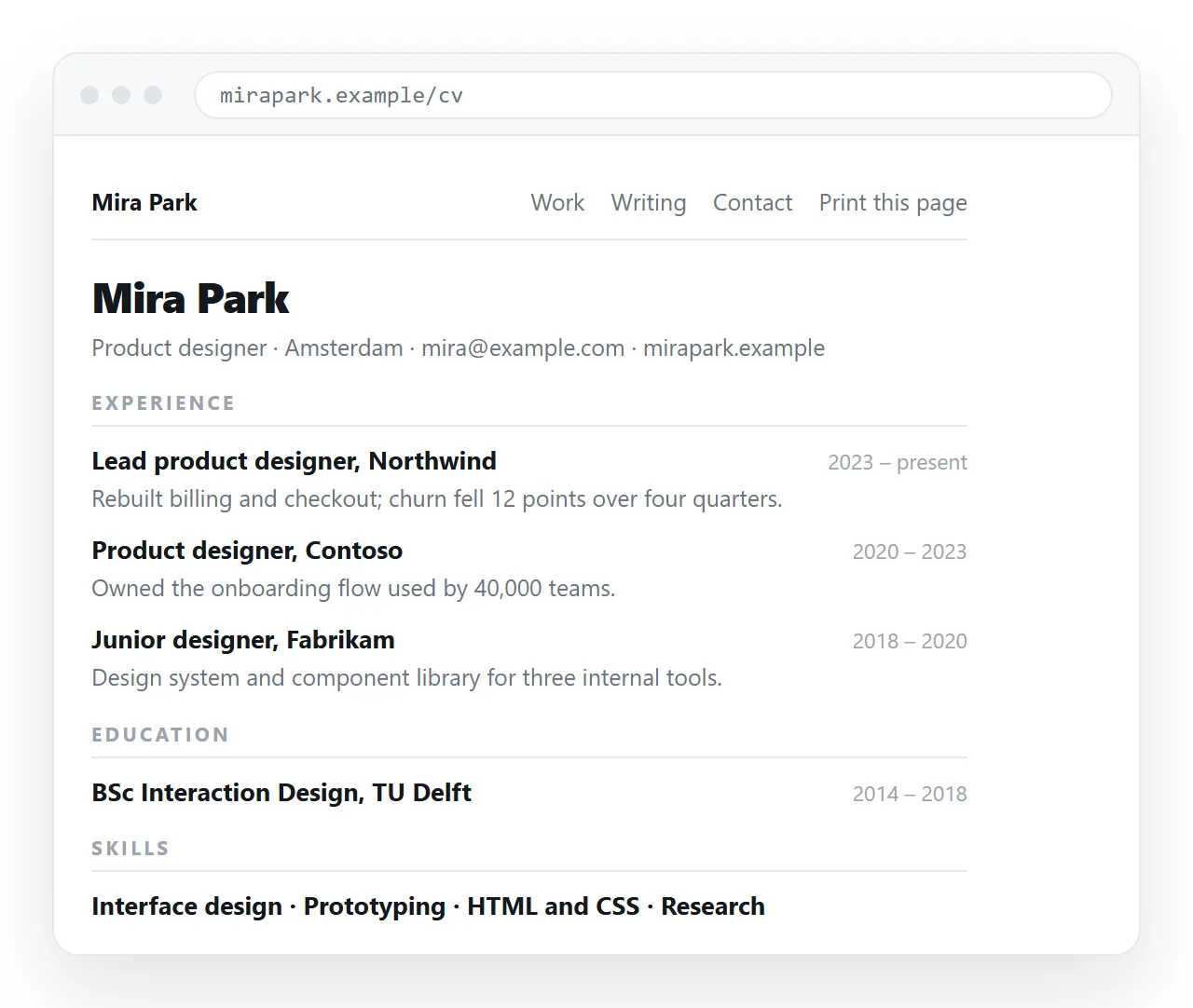
The reason to bother is version drift. A PDF sent in March is still the March version in June, and you have no idea which copy the person reading you actually has.
What belongs on an HTML resume
A resume page is not a personal site. Keep it to the same content a recruiter expects, in the same order.
- Name, role and location at the top, with a mail link and one profile link.
- Experience, newest first, with dates on the right and outcomes rather than duties.
- Selected work, each item linking to something openable.
- Skills, grouped, without proficiency bars.
- Education and anything certified, short.
Use semantic HTML for the structure. Real <h2> headings make the page navigable with a screen reader and give you clean print breaks for free.
HTML page versus the alternatives
| Format | Opens in one tap | Stays current | Accepted by application forms |
|---|---|---|---|
| Link to an HTML resume page | Yes, any device | Yes, same address | Sometimes, as a profile URL |
| PDF attachment | After a download | No, frozen at send | Yes |
| Word document | After a download | No | Yes |
The .html file emailed |
Rarely | No | No |
| Screenshot image | Yes | No | No |
The practical answer is both. Use the page for anything a human reads, and keep a PDF export for the upload field.
Printing and phone rendering
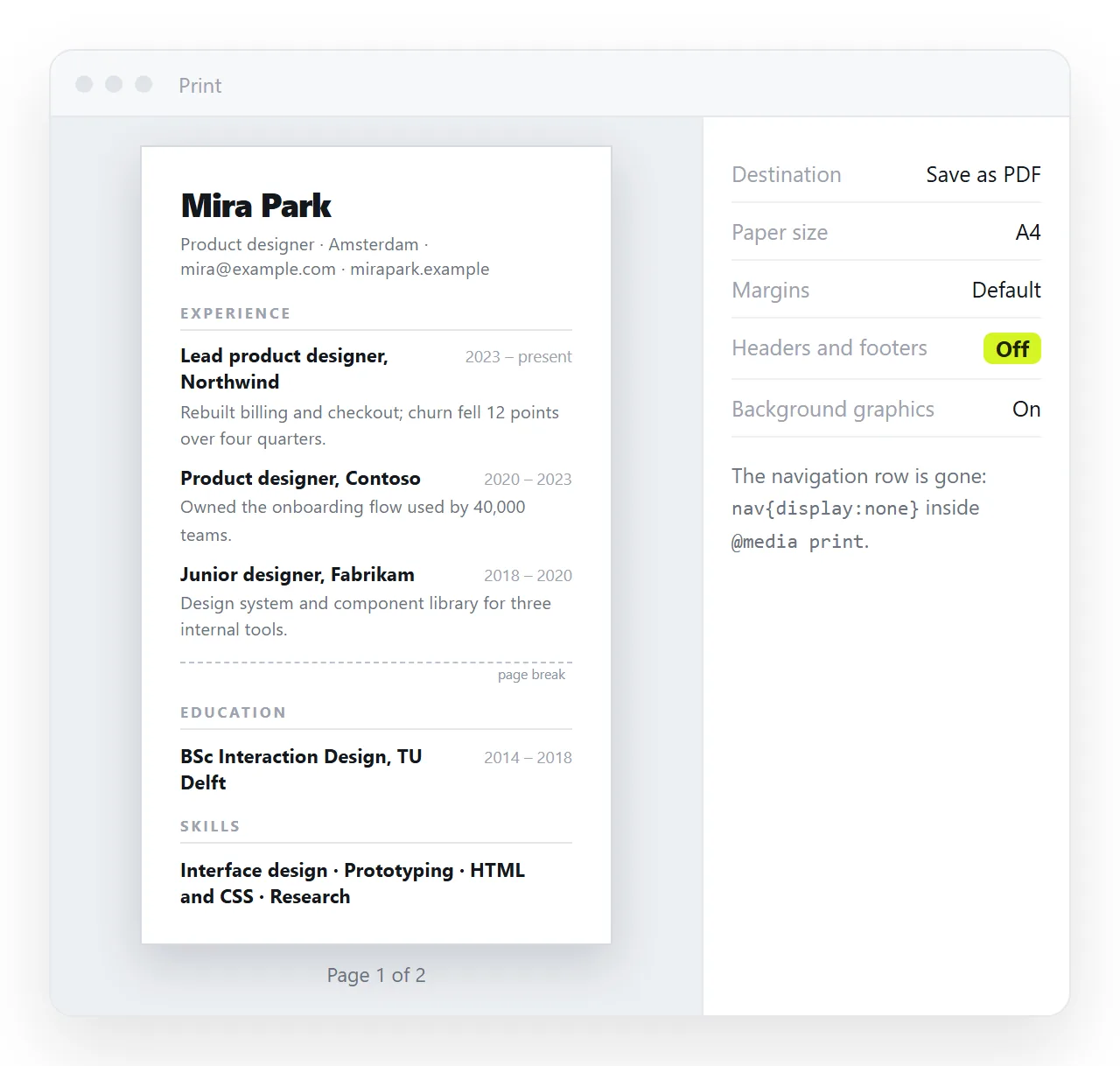
A resume page that prints badly is worse than no page at all, because someone will print it.
Add a print stylesheet that does four things: hides anything navigational, switches text to black on white, sets page-break-inside: avoid on each role block, and drops link underlines while keeping the text readable.
@media print {
  nav, .theme-toggle { display: none }
  body { color: #000; background: #fff }
  .role { page-break-inside: avoid }
  a { text-decoration: none; color: #000 }
}
Then print to PDF and check where the breaks land. One role split across two pages is the usual failure.
Recruiters open links between other things, usually on a phone. Two settings decide whether that works.
Include the viewport meta tag, without which the page is laid out at desktop width and shrunk to illegibility.
Keep one column. A two column resume that relies on a sidebar needs a media query to stack, and it is usually simpler to design in one column and let the desktop view be generous with whitespace.
Publishing it
- Open the file somewhere neutral. The HTML file opener has never seen your folder, so a broken photo path shows up before a recruiter finds it.
- Paste the HTML into a document. It renders as a page of its own, with the text clickable for later edits.
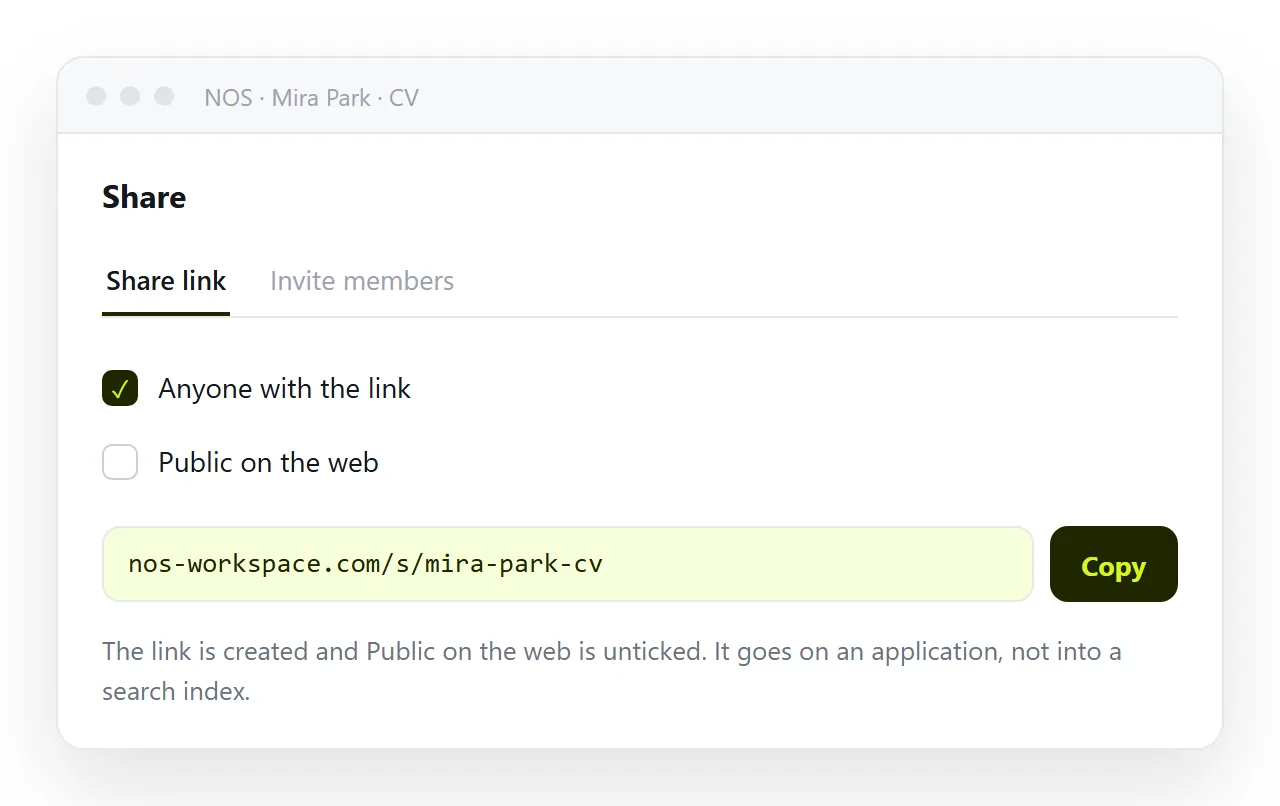
- Create the share link. Share, then Share link, then Create link. Leave it unlisted for a quiet search, or tick Public on the web if you want it found.
- Use that line everywhere. Cover notes, profile fields, mail signature.
The photo, if you include one, must be embedded or on a full address. A folder path is why images go missing when a page moves; a base64 image avoids it.
Keeping it current without resending
This is the part that pays off. You finish a project, you click the text in the rendered document and add a line, and the link in every cover note you sent last month now shows it.
Nobody receives an updated attachment. There is no v2 filename. The address is the resume.
If a conversation is already underway and a specific version matters, export a PDF at that moment and send it alongside. PDF versus an HTML page covers when each is the right unit.
Privacy while job hunting
An unlisted link is not secret. It works for whoever holds it, and it will be forwarded.
Leave your home address off the page entirely, a city is enough. Think twice before ticking Public on the web during a search that your current employer has not been told about.
For a stripped down version of this build, see a simple HTML resume. For the sharing mechanics on their own, see turning a resume into a link.
Where to put the link, and what recruiters do with it
The link earns its keep by being in the places a person clicks, not in the places a parser reads.
- The cover note, one line, near the end.
- The profile address field on application forms, which is usually free text.
- Your mail signature, so anyone who replies to you can reach it.
- The top of the PDF, as the first line under your name.
That last one matters. The recruiter who opens the PDF three weeks later can still reach the current version from it.
Assume twenty seconds and a phone. The page has to answer three questions above the fold: what you do, where you have done it, and whether you are near enough to work with.
Keep the first screen free of navigation, decoration and a long summary paragraph. Those push the first real line of experience out of sight.
Link each project to something openable rather than describing it. A live page beats a paragraph about a live page, and it demonstrates the thing the link is for.